
Hướng dẫn bảng quản lý Cookie nâng cao
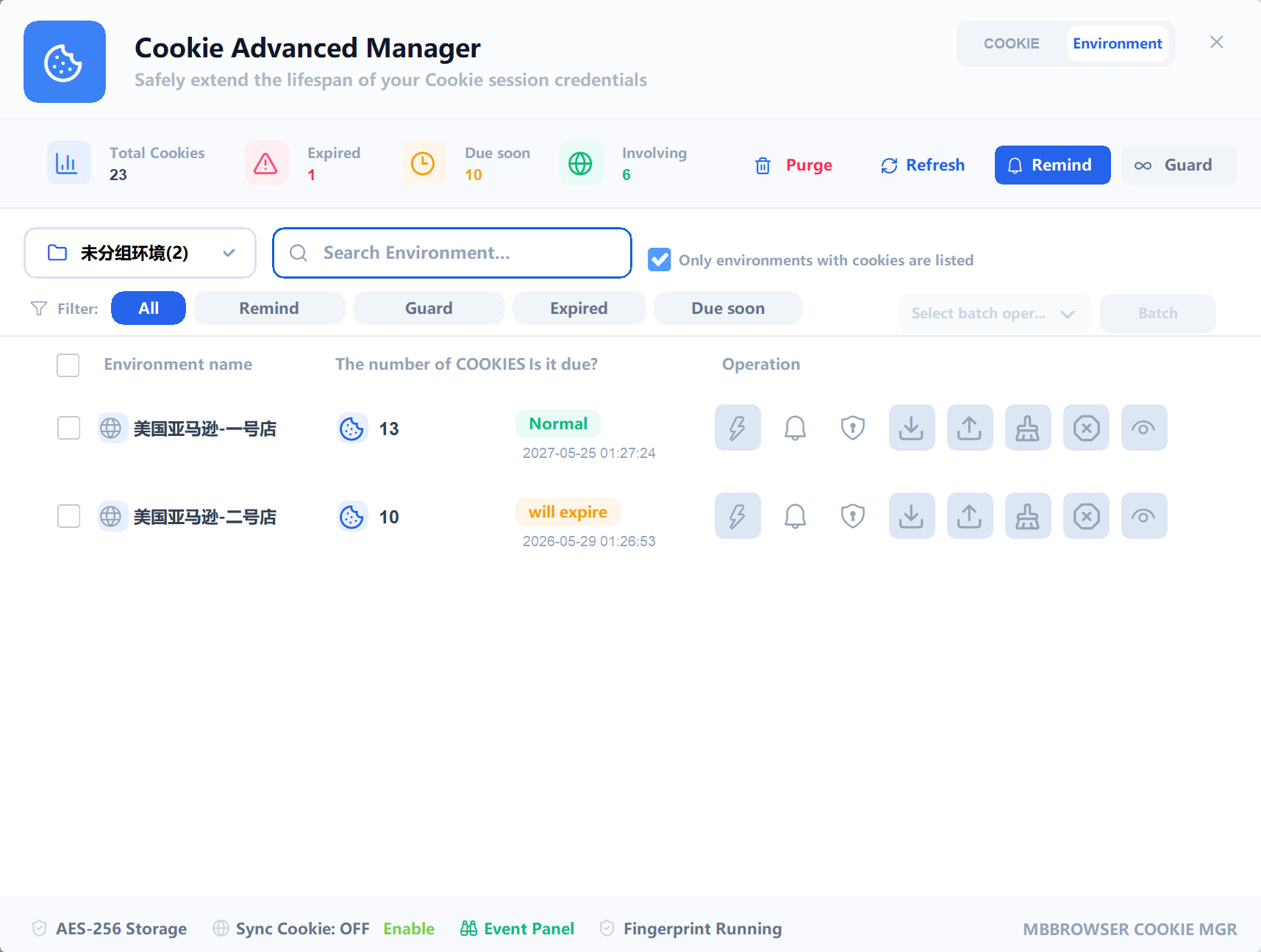
Bảng quản lý Cookie nâng cao giúp quản lý trạng thái đăng nhập Cookie trên nhiều môi trường trình duyệt. Bạn có thể chuyển giữa chế độ Cookie và Môi trường để xem hết hạn, sắp hết hạn, nhắc nhở và bảo vệ thông minh.
1. Main Uses
- View Cookies saved in browser environments.
- Switch between Cookie view and Environment view.
- Search Cookie records or environment names.
- Import and export Cookies.
- Find expired or expiring Cookie environments.
- Enable Cookie expiry reminders and SMTP email alerts.
- Add important environments to smart guard.
- Use logs to troubleshoot Cookie operations.
2. Cookie View
Cookie view focuses on individual Cookie records. You can search by name, domain, or path, check expiration time, edit fields, delete records, copy values, import Cookie data, export Cookie data, and clean expired Cookies.
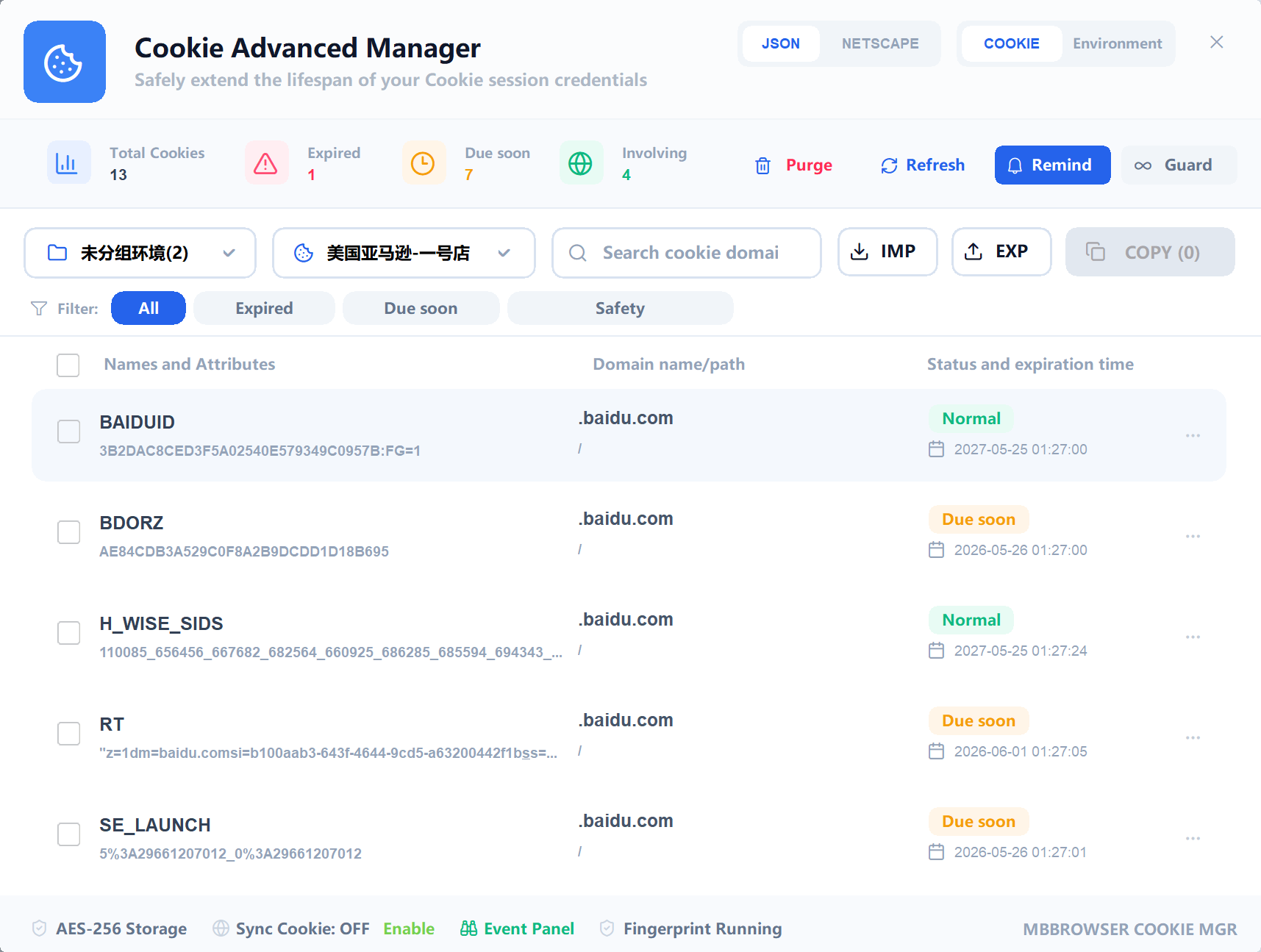
Use JSON format for structured Cookie data from browser tools or automation systems. Use Netscape format for traditional Cookie files.
3. Environment View
Environment view focuses on Cookie health by environment. It shows environment name, Cookie count, expiration state, reminder state, smart guard state, and available actions.
Recommended daily checks:
- Filter expired environments.
- Filter expiring environments.
- Add important environments to reminders.
- Add core accounts to smart guard.
4. Import Cookies
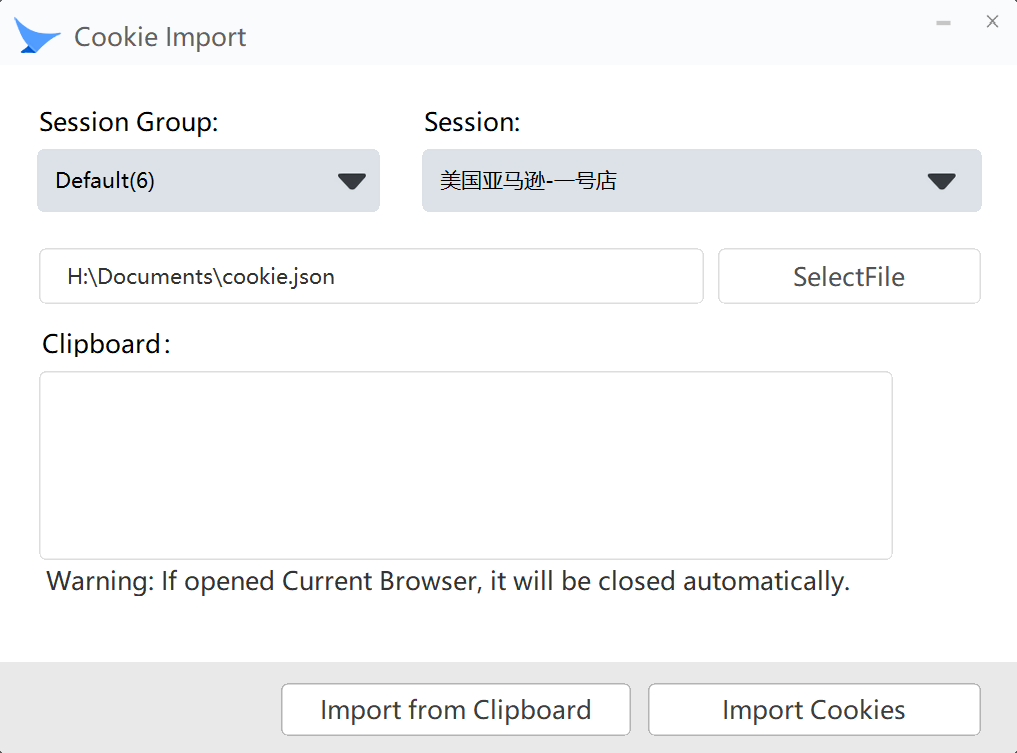
Before importing, confirm the target environment, data format, Cookie domain, and data source. Do not import Cookie files from unknown sources.
5. Export Cookies
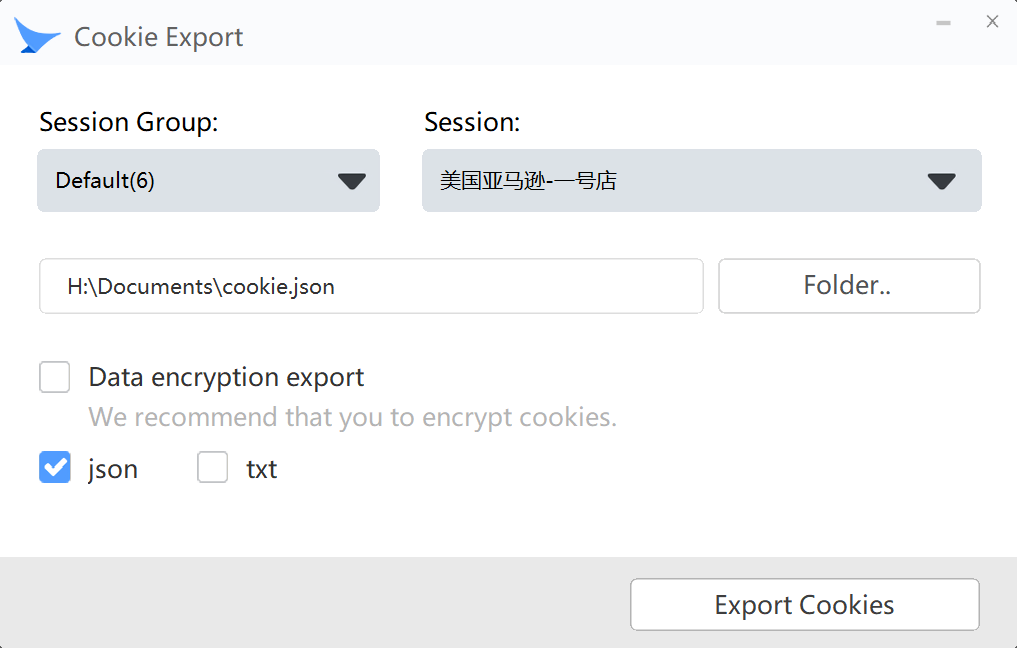
Export is suitable for backup, account handover, automation testing, migration, and support diagnosis. Keep exported files secure and enable encryption when available.
6. Cookie Expiry Reminder
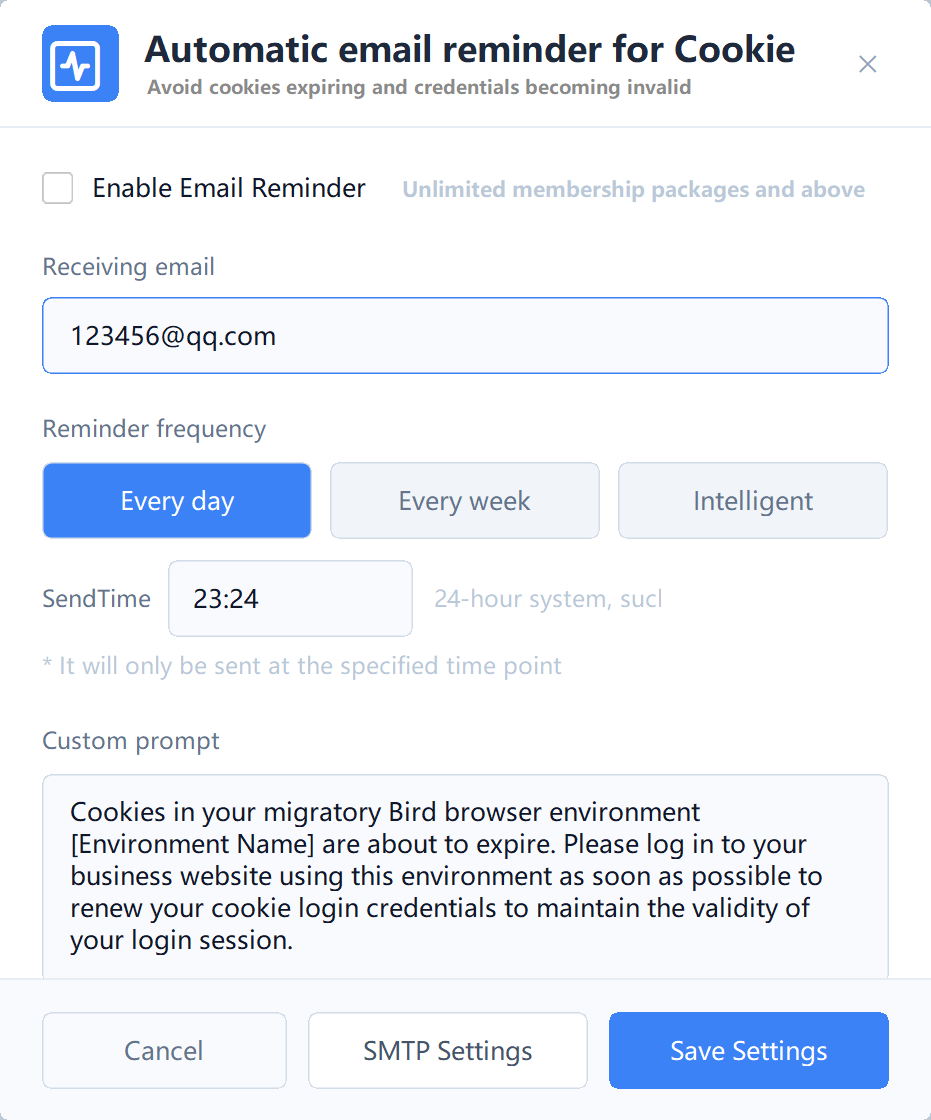
You can enable reminders for one environment or multiple environments in batch. After receiving a reminder, open the target environment, log in to the website again if needed, then refresh Cookie statistics.
7. SMTP Configuration
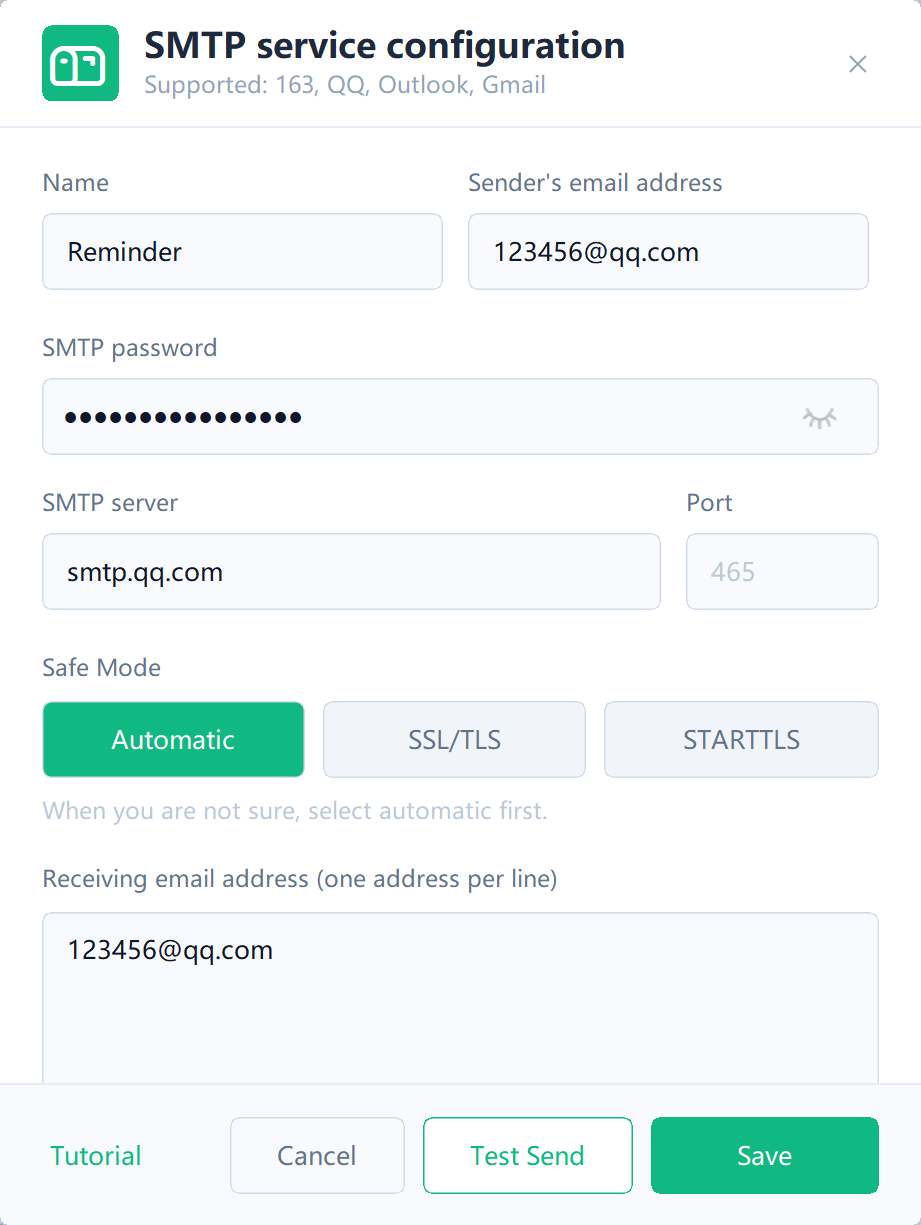
Configure SMTP server, port, sender email, authorization code, recipient email, and SSL/TLS options. Always send a test email after configuration.
8. Smart Guard and Batch Operations
Smart guard is for important environments that need continuous Cookie health attention. Environment view supports batch add/remove reminder and batch add/remove smart guard.
9. Troubleshooting
If emails are not received, check SMTP test result, recipient address, spam folder, whether Cookies are actually expiring, fixed-time trigger time, and local operation logs.
TIP
Changing local Cookie expiration time does not always renew website login. The recommended method is to open the corresponding environment and log in to the website again.